
Operations is the operational core of Essentos. It centralizes task execution in the terminal so every service, move, and verification happens in the right order—with the day-to-day traceability your teams need. From the moment a load is authorized in Fastport until unloading, repositioning, or exit is complete, Operations orchestrates tasks, assigns resources, records evidence, and syncs status with the rest of the modules and with your corporate systems.
Think of it as a real-time coordination layer that understands each service’s priority, enforces business rules, and maintains a complete event log with timestamp, user, location, equipment, and context. Instructions are published to field interfaces so operators see the next best action, prerequisites are validated automatically, and exceptions are resolved through guided steps. The result is a more predictable operation, less rework, and more available capacity—without adding assets.
Operations doesn’t replace your processes; it makes them explicit and executable. Standard operating procedures become clear, visible checklists with validations, while ad-hoc radio calls turn into auditable events. Supervisors gain a single view of status and blockers; field teams receive simple, sequenced tasks they can actually follow.
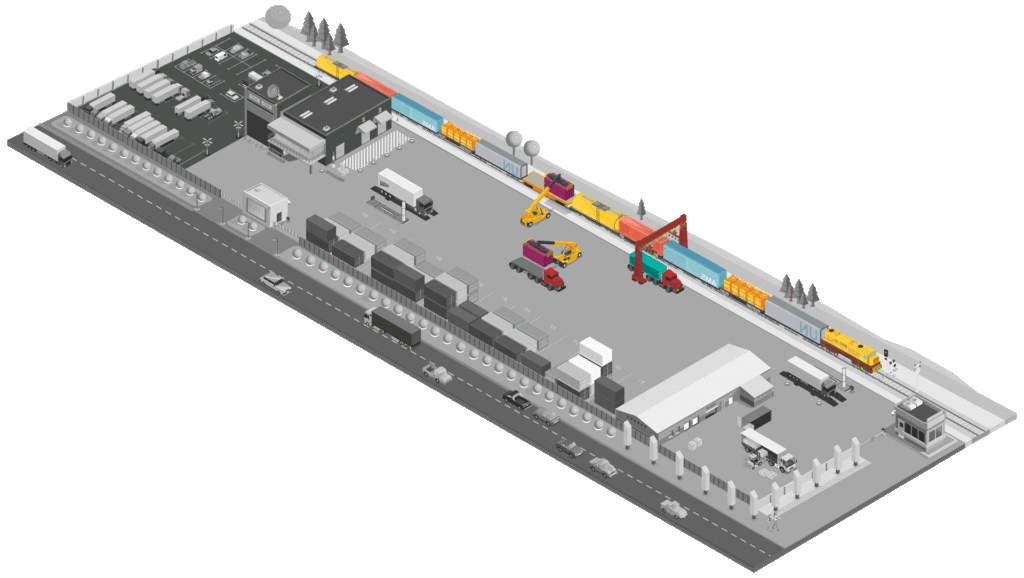
Why Operations?
Terminals never stop, and any inefficiency multiplies across shifts and peaks. Operations reduces operational noise by turning each order into clear, visible, executable steps. It cuts re-entries and rehandles by aligning access, weighing, and field tasks with rules your team can follow on the ground. It speeds decision-making by exposing live status and blockers to the roles that can fix them. It improves audits and customer care by preserving per-event evidence.
Critically, Operations lets you scale complexity in a controlled way. You can add new rules or integrations as business grows—without breaking what already works. That means faster onboarding for new services, fewer surprises at shift change, and better protection of SLAs when demand spikes.
How does it work?
- Start signal & work order. Essentos receives a start signal from Fastport, Connect, or your systems (e.g., an EDI pre-advice or an internal work request) and creates a work order with its operational objective.
- Orchestration & breakdown. Operations breaks the order into sequential or parallel tasks according to your processes, sets dependencies, and assigns an owner and equipment. It publishes step-by-step instructions to field interfaces.
- Validation before action. As the team executes, the system validates prerequisites (documents, holds, VGM, zone permissions), and blocks steps that don’t meet the rule—avoiding re-entries and rehandles.
- Evidence capture & status. Each milestone captures photos, reads, weights, signatures, and updates real-time status for Operations, Planning, and Customer Service.
- Exception handling. If a prerequisite is not met, a guided resolution kicks in with exception rules, notifications, and hot-swaps of resources when plans change.
- Closure & handoff. When the order completes, Operations closes the loop with an execution summary that feeds Analytics, Billing, and external systems via Connect—keeping documentary and operational states aligned.
Key capabilities
- Unified work order lifecycle. From creation and assignment through execution to verified closure, with a single source of truth for every event.
- Configurable operational tasks. Define tasks by process for loading/unloading, inspections, document checks, positioning, pre-staging, and delivery, with clear instructions and checklists.
- Rules & checklists by SLA. Enforce cargo type, customer, zone, and SLA rules with pre-milestone validations and required evidence.
- Resource assignment that adapts. Assign by role, shift, and availability, with hot-swaps and priority changes when conditions shift.
- Evidence that stands up to audit. Photos, OCR reads, weights, and signatures tied to the exact event, user, timestamp, and location.
- Incident handling. Defined resolution paths, escalation, and operational notes that capture root cause and actions taken.
- Real-time traceability. Fine-grained event timelines and status lookup for operations, customer service, and compliance.
Native integrations
- Fastport provides access authorization, appointment, and document validation that trigger or gate the order.
- AI Reader supplies automatic license-plate and container reads as proof of passage or position.
- Weighing seals VGM and weigh tickets that can sequence or condition tasks.
- Securepass governs identities and permissions for people and vehicles at each milestone.
- Connect publishes and consumes EDI/API with PCS, ocean carriers, ERP, WMS, and Customs so operational and documentary states advance together.
- Analytics receives all events for shift KPIs, productivity, and dwell; Billing uses service milestones to propose settlements.
Use cases
- Unloading with pre-verification. The order enforces release, VGM, and safety checks before a bay opens, preventing re-entries and idle equipment.
- Repositioning with exit-driven logic. Tasks place containers in the right zone the first time, cutting later rehandles and travel.
- Inspection with mandatory evidence. Family-specific checklists and required photos/signatures shorten disputes and standardize quality.
- Train pre-staging. Operations coordinates lane timing, train window, and queue priority to minimize waits and last-minute maneuvers.
- Customer pickup. Document control and equipment verification before exit reduce returns, holds at the gate, and TTT outliers.
Measurable benefits
- Lower rehandles by applying placement rules and early verification, directly reducing non-productive moves.
- Higher document First-Time-Right by blocking steps when prerequisites are missing and offering guided resolution.
- Reduced Truck Turn Time (TTT) by aligning authorization, weighing, and first service without re-entries.
- Shorter post-gate dwell by chaining tasks without idle time and with shared visibility.
- Higher shift productivity by cutting dead time and unnecessary travel.
- Faster incident response thanks to a single view with status, root cause, and evidence.
Practical example
A tractor unit enters with a confirmed appointment and validated documents. Operations creates the unloading order and activates its first task. The system verifies that VGM is sealed and there’s no Customs hold. AI Reader confirms license plate and container; Weighing adds the digital ticket; the supervisor assigns the available equipment.
Unloading is performed and condition photos are recorded. Repositioning is triggered with exit criteria, and the final location is confirmed. Connect publishes the necessary events to the PCS and ERP, and Analytics updates shift KPIs. The customer receives a status notification and, if applicable, Billing generates the service settlement proposal.
KPIs Operations helps you track (for clarity & SEO)
- Truck Turn Time (in/out) by lane, shift, and service type.
- Dwell time pre- and post-gate by zone or customer.
- First-Time-Right rate for documents and services.
- Rehandles per container and per area.
- Exception rate & time-to-resolve, including escalations.
- Task completion times and shift productivity trends.
FAQs
Does Operations force our teams into a rigid process?
No. Your SOPs are modeled as tasks and rules; Operations enforces what you define and makes exceptions guided and auditable.
Can we add new steps or checks later?
Yes. You can introduce new rules, tasks, or integrations without disrupting existing flows.
How does Operations reduce re-entries?
By validating prerequisites (documents, holds, VGM, access) before a task starts and blocking work until issues are resolved.